1 website
Protects a single primary domain, suitable for business websites, landing pages, WordPress, or online shops.

Place a Web Application Firewall layer in front of the website to filter bots, mitigate HTTP floods, and keep the website stable under Layer 7 attacks.
7-day money-back guarantee if not satisfied
Protects a single primary domain, suitable for business websites, landing pages, WordPress, or online shops.
SSL can be enabled once DNS points correctly and website configuration details are valid.
The default threshold of 2,000 requests/10 seconds helps mitigate abnormal application-layer traffic.
The WAF plan includes 5,000 GB/month for stable traffic demands.
Single-website protection plan, suitable for business websites, landing pages, WordPress, online shops, and public APIs.

WAF receives HTTP/HTTPS traffic, classifies clean requests versus abnormal requests, and then forwards only legitimate traffic to the origin server. This approach reduces load on websites, login forms, APIs, payment pages, and admin areas.
Block abnormal requests, bot floods, and traffic showing signs of Layer 7 attacks.
Hide origin server IP behind the WAF layer to mitigate direct malicious access.
Keep traffic within safe thresholds so the website is not congested by fake traffic.
Many modern DDoS attacks emulate real users, sending continuous requests to login pages, carts, APIs, or product pages. WAF helps filter this traffic before it reaches origin servers.
Continuous requests to heavy pages, search endpoints, or product pages.
Crawling bots, scanners, form spammers, and repetitive visits consume resources.
Target login forms, public APIs, webhooks, or checkout pages.

Suitable for ad landing pages, WooCommerce, online stores, and ordering pages.
Protect login areas, public APIs, checkout pages, carts, and admin panels.
Reduce duplicate requests, HTTP floods, bot scans, and abnormal traffic to the website.
Can quickly add a protection layer in front of a running server without migrating servers.
The domain name needs an A record pointing to an IP within the WAF range. If the website uses both the root domain and www version, point both records.
Temporarily disable proxy/CDN and set the record to DNS-only mode when placing an order so the system can verify the correct WAF IP.
Enter only the domain for Domain Name; Origin Server IP is the actual IP running the website, HTTP Port is usually 80, and HTTPS Port is usually 443.
Update domain A record to the specified WAF IP.
Enter domain, origin server IP, HTTP/HTTPS port, and SSL option.
VPTS checks DNS, origin connectivity, and website response status.
WAF receives traffic, filters abnormal requests, and forwards clean requests to the origin server.
Website WAF Anti-DDoS should be chosen based on operational goals, user location, security requirements, and scalability, not just the lowest price.
Suitable for ecommerce websites, ad landing pages, login portals, public APIs, or systems encountering abnormal Layer 7 traffic.
Should be enabled before major campaigns, before sale seasons, or when encountering spam requests, bots, form scanning, and HTTP floods.
Point DNS to WAF, verify origin server IP, HTTP/HTTPS ports, and SSL so malicious requests are filtered before reaching the real server.
| Scenario | Website WAF Anti-DDoS | Should also consider |
|---|---|---|
| Websites with login/checkout/APIs | WAF filters abnormal requests before reaching the origin server | Network firewalls only protect lower layers |
| Run high-traffic campaigns | Reduce risks of bots, form spam, HTTP floods, and downtime | CDN is only one part; it does not replace custom WAF rules |
| Want to hide origin IP | DNS points to WAF, origin only receives clean traffic | Need to configure SSL/port properly before enabling |
Anti-DDoS Firewall provides broad protection at the network layer across various services. Website WAF focuses on HTTP/HTTPS, bots, anomalous requests, and Layer 7 attack vectors aimed at websites.
The 1-Web AntiDDoS/WAF plan is priced at 250,000 VND/month, available for 1, 3, 6, 12, 24, or 36 months.
You need a domain, the origin server IP running the website, HTTP/HTTPS ports, and you must point the A record to 160.30.156.9 or 160.30.156.10 before activation.
Yes. SSL can be enabled once DNS points correctly and website information is valid. If the configuration is complex, you can submit a ticket for technical support.
Track protection status, traffic, bandwidth, blocked requests, and WAF/Firewall policies in real time. The centralized interface helps detect anomalies early, manage filtering layers, and maintain security for websites, applications, and systems.
Monitor protected domains or IPs, service status, applied policies, and expiration dates to stay fully informed of the system's current defensive layer.
Key numbers that give customers peace of mind when choosing VPS, proxy, hosting, server, and infrastructure services at VPTS.
experience in deploying and operating digital infrastructure
customers and partners have trusted the VPTS ecosystem
technical support team throughout the usage process
stability objective for critical infrastructure services
high-speed network connectivity for multiple workload groups











































 VPTS GROUP - Technology Infrastructure, Foundation for Digital Growth | Enterprise Imprint
 Actual feedback from clients operating websites, VPS, proxies, hosting, and server systems with VPTS.




Stable service, prompt support responses, and configuration consulting closely aligned with actual operational needs.
Easily scalable, clean-to-manage infrastructure with diverse options to isolate workloads by campaign.

VPS runs stably for production systems, with clear support provided whenever upgrades or resource checks are needed.
From websites with low performance scores, clients have seen marked improvements after migrating to VPTS VPS infrastructure. A faster, more stable, and SEO-friendly platform also makes content easier for search engines and AI systems to discover, understand, and recommend.
View all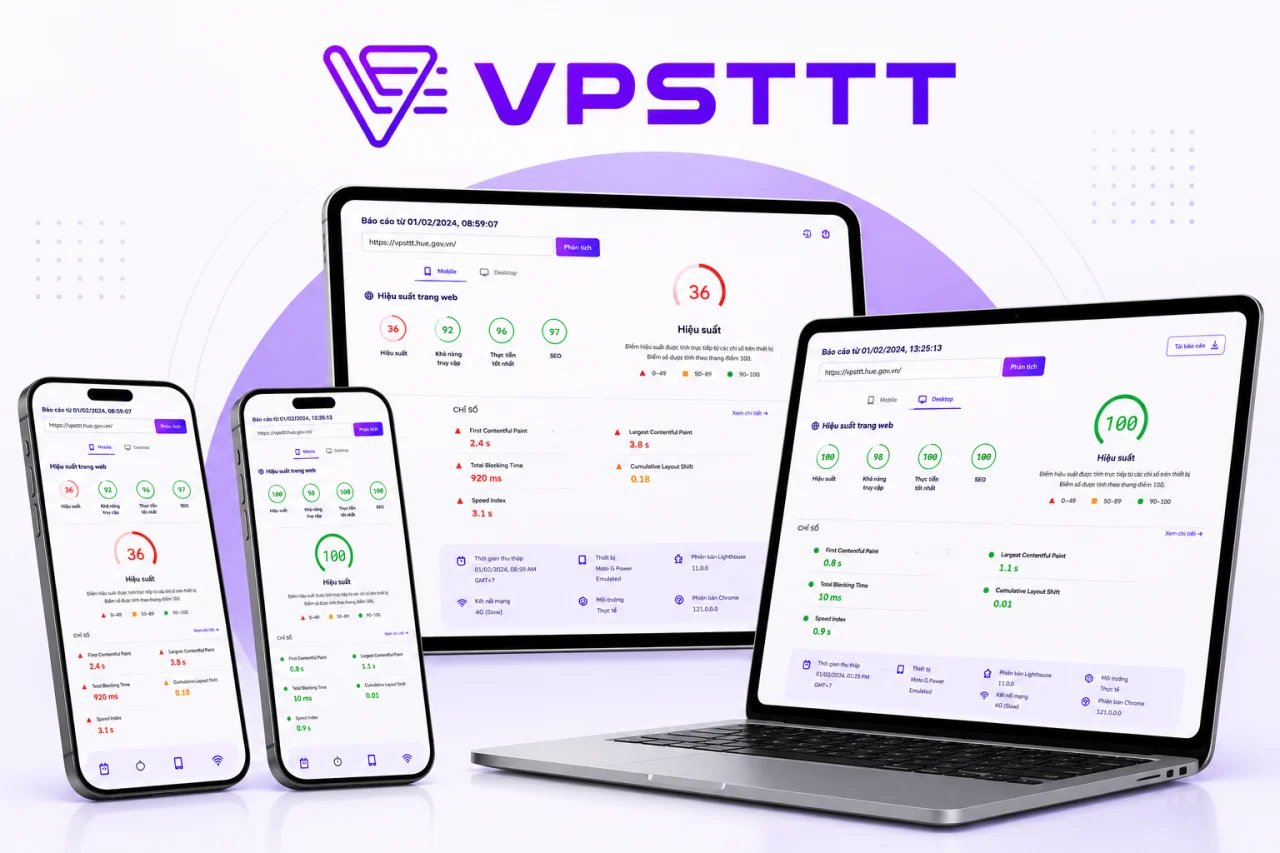
VPTS's website previously scored a 36 performance score. After moving to a suitable NVMe VPS configuration and optimizing cache, images, and CSS/JavaScript, the performance score reached 100; SEO and Best Practices also reached 100. A faster, more stable foundation helps service content get crawled, understood, and distributed more effectively across search engines and AI systems.
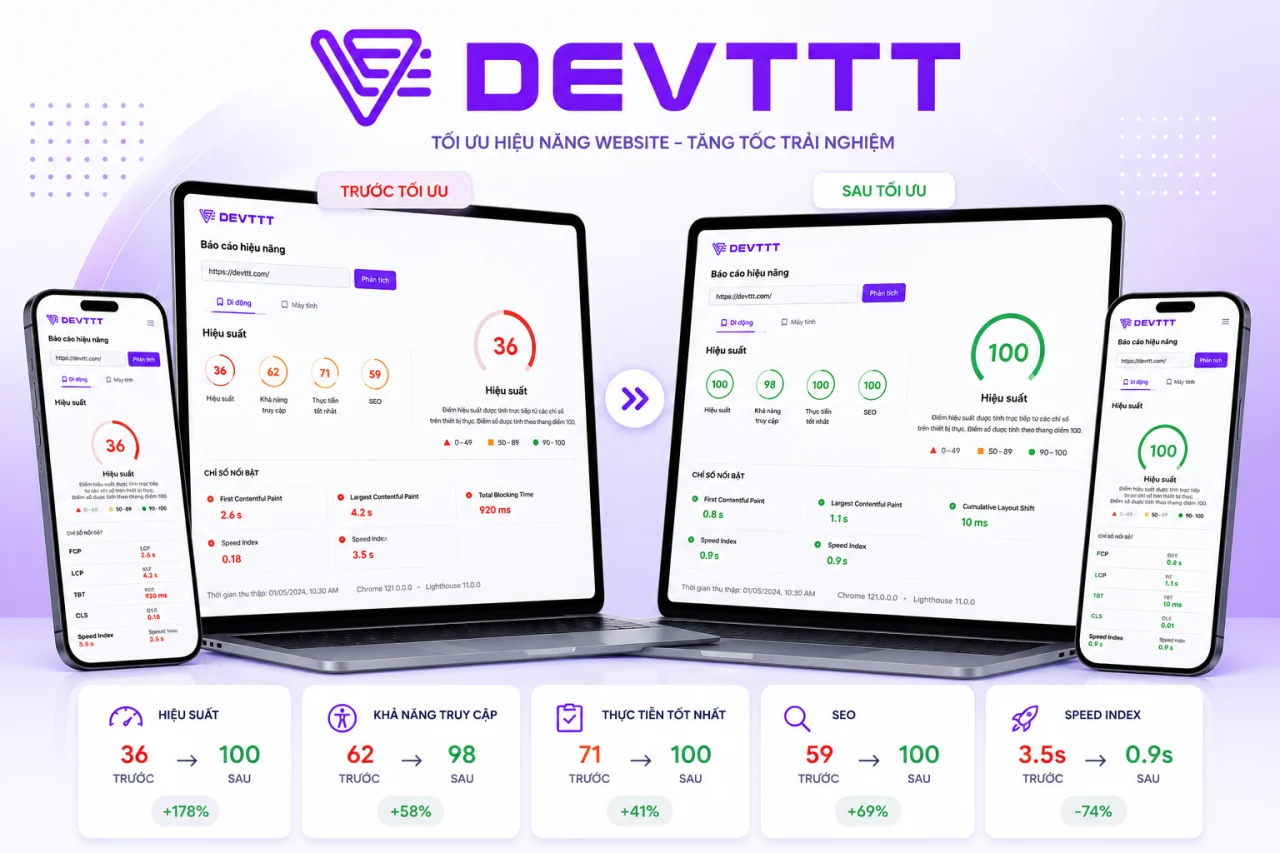
Before using VPTS VPS, the DEVTTT website scored only 36 in performance, affecting the speed of viewing company portfolios and web design services. After migrating infrastructure and optimizing resources, performance reached 100; accessibility, Best Practices, and SEO improved consistently, creating a better foundation for Google and AI tools to discover and evaluate content.
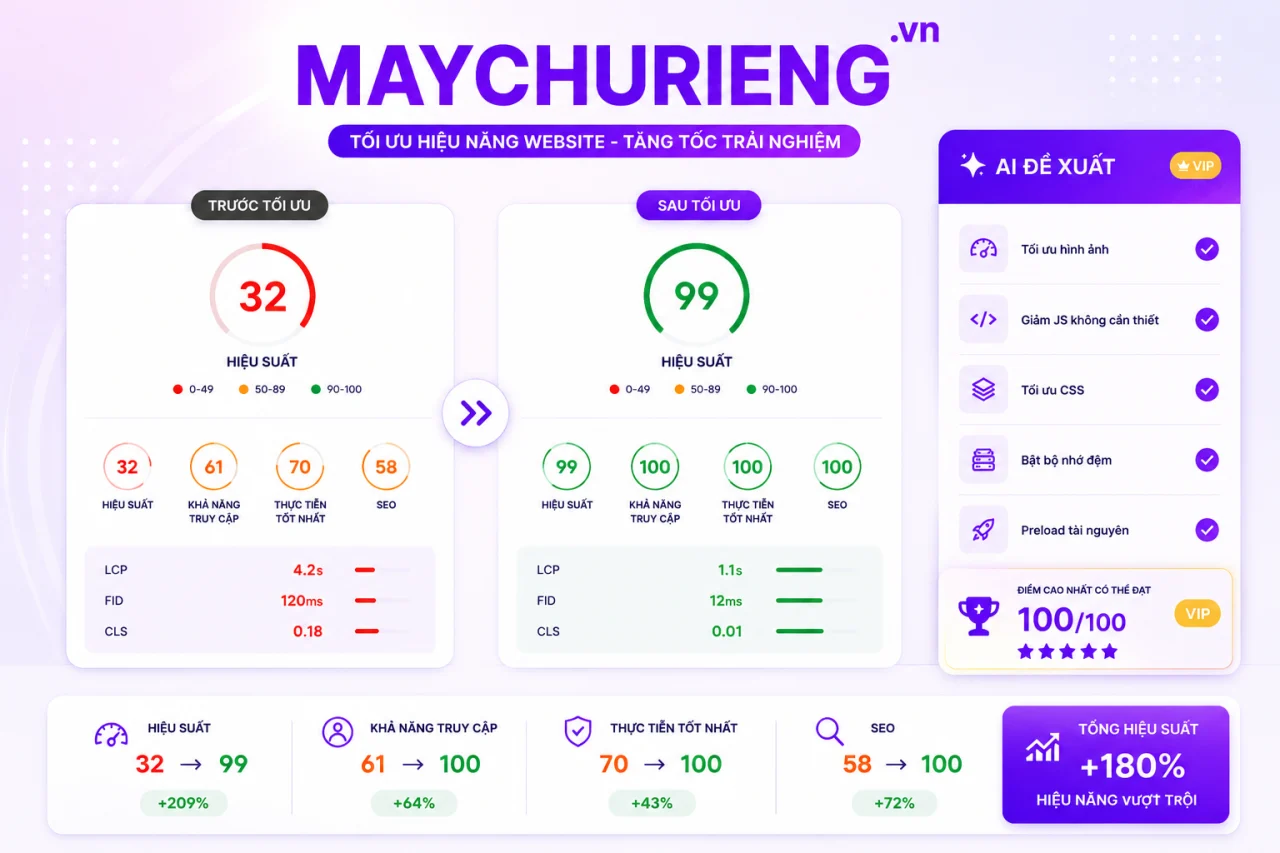
MAYCHURIENG.VN previously scored only 32 performance points on its old infrastructure. After moving to VPTS VPS and optimizing images, CSS/JavaScript, caching, and priority resources, the score increased to 99; Accessibility, Best Practices, and SEO reached 100. The website responds faster, helping server content become more discoverable and better understood by search engines and AI.
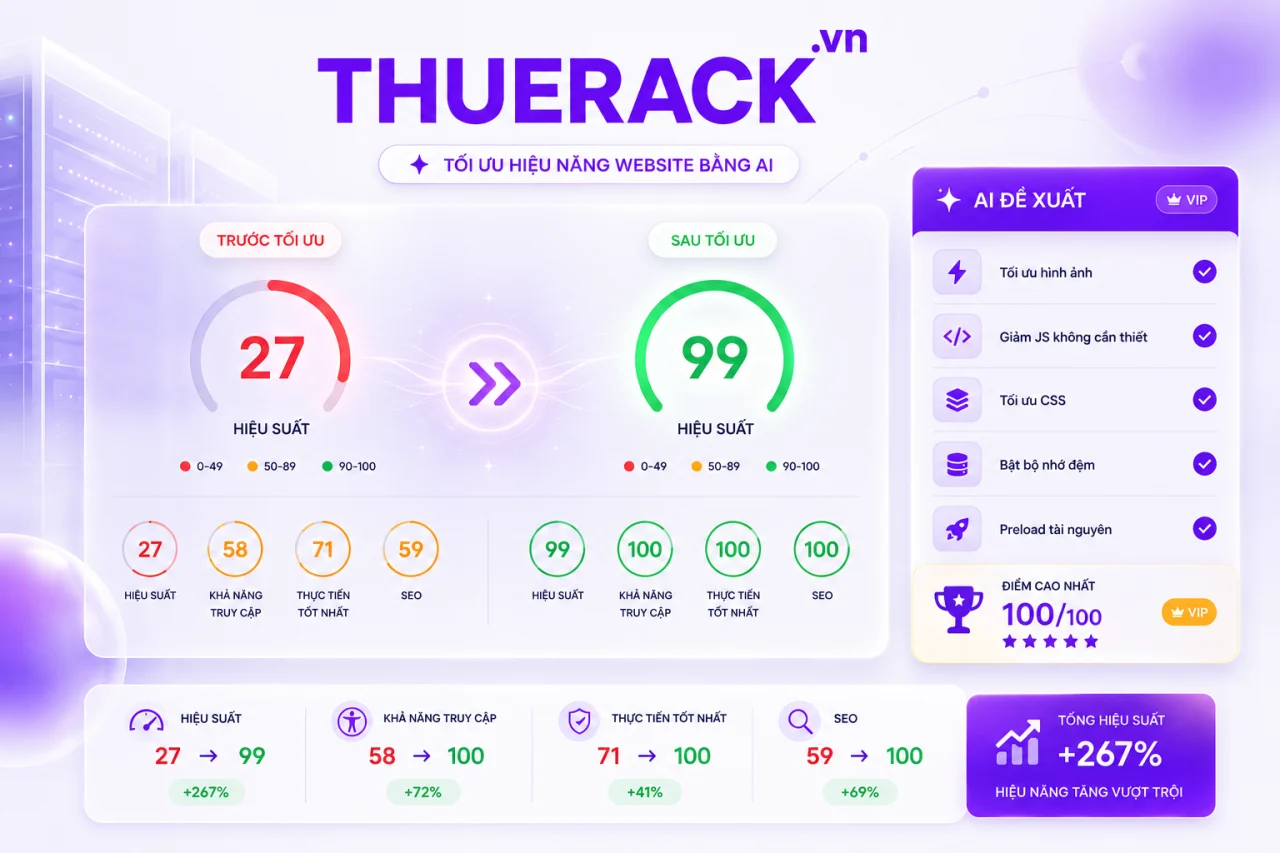
Before migrating infrastructure, THUERACK.VN scored only 27 in performance, causing service pages to load slowly and making customer retention difficult. When running on VPTS VPS, combined with image, source code, and cache optimization, performance jumped to 99; the other three metric groups reached 100. Better speed and structure help the website be crawled and evaluated more favorably by Google and AI systems.
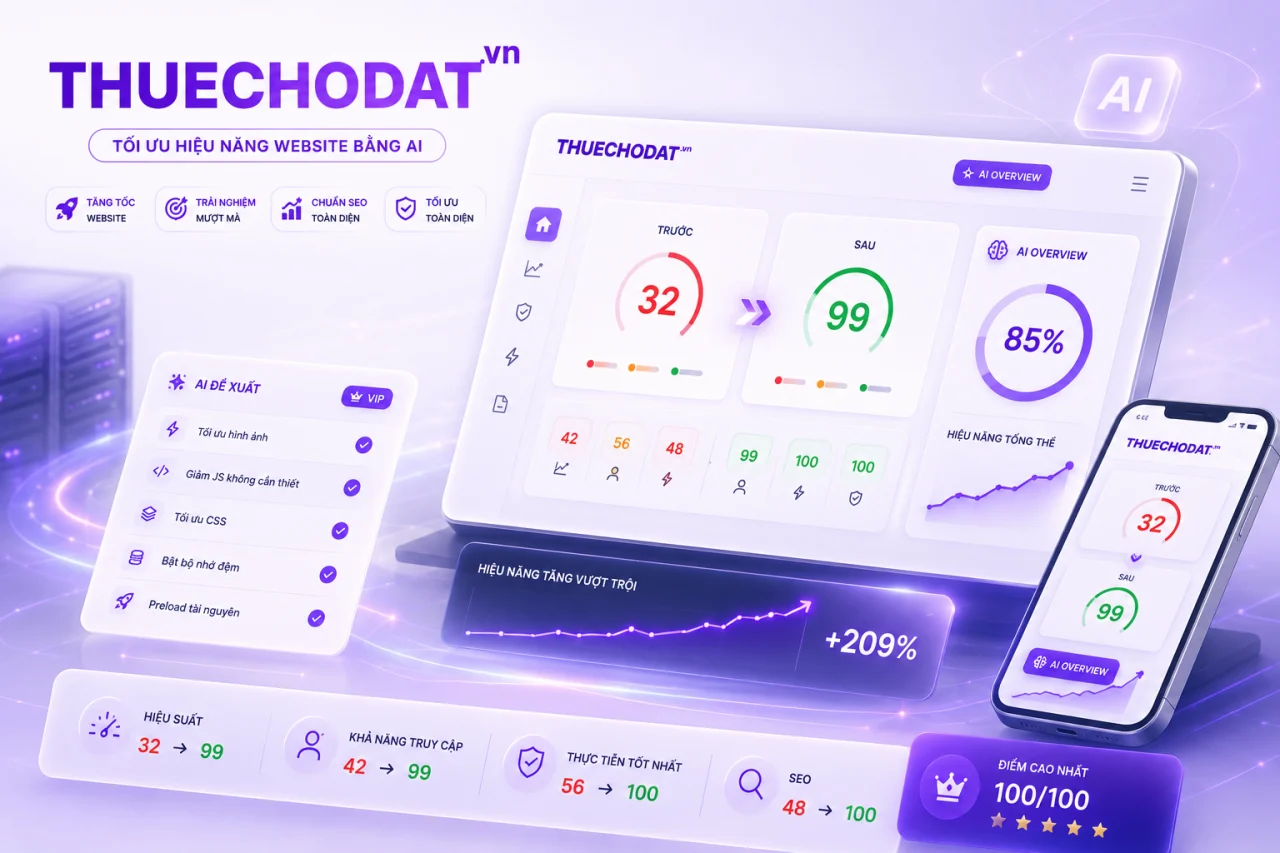
THUECHODAT.VN previously scored 32 in performance before migrating to VPTS VPS. After upgrading infrastructure and optimizing display resources across multiple devices, performance score jumped to 99, accessibility reached 99, and Best Practices and SEO reached 100. The website is faster and clearer, creating a foundation for service content to rank better on traditional search and AI search.
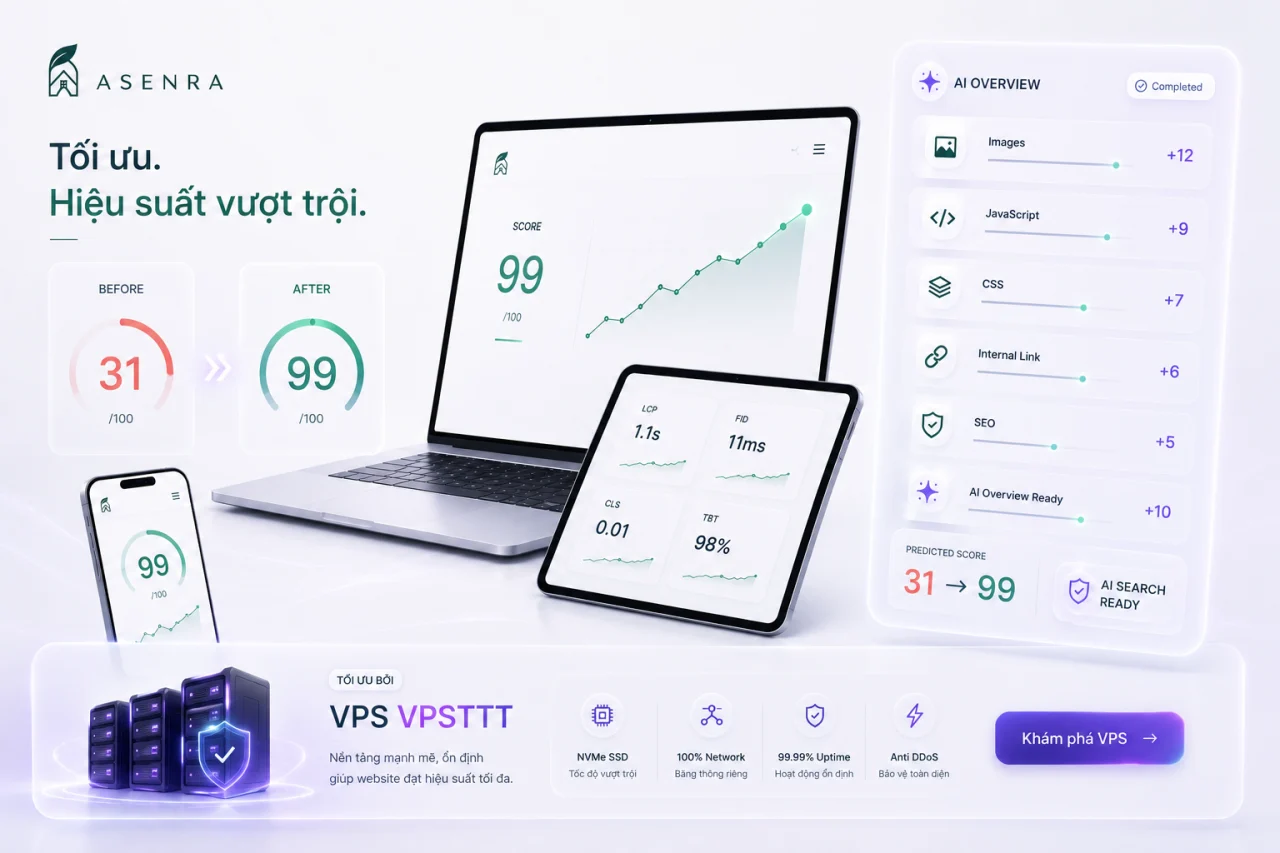
ASENRA.VN is a website showcasing architectural and interior design and construction services. Before migrating to VPTS VPS, the site achieved a performance score of only 31; after upgrading infrastructure and optimizing images, JavaScript, CSS, and internal links, the score increased to 99. The website loads quickly, remains stable, and has a clearer structure, enabling Google, AI Overview, and AI search systems to crawl, understand content, and recommend it more easily to customers interested in living spaces.
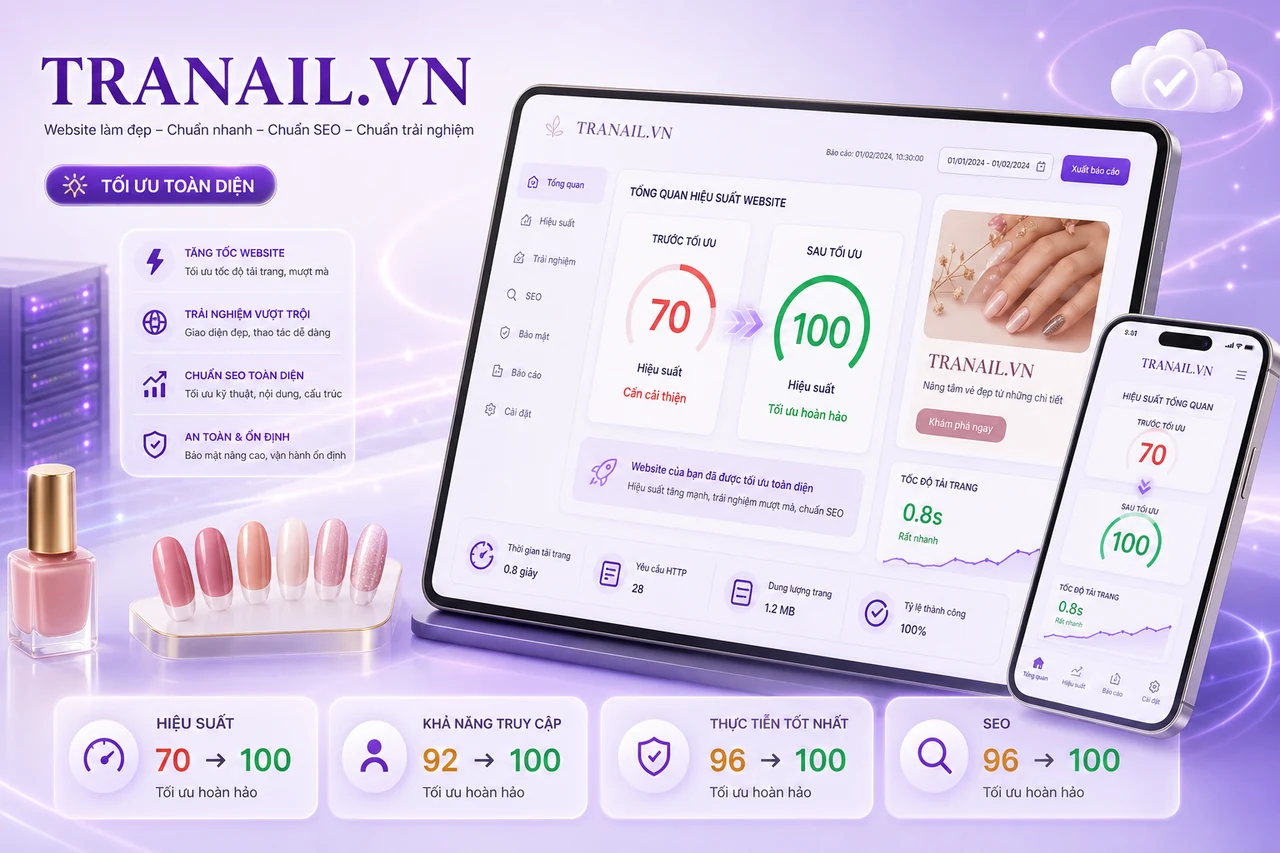
After migrating to VPTS VPS infrastructure and optimizing page load resources, TRANAIL.VN increased its performance score from 70 to 100; Accessibility, Best Practices, and SEO also all reached 100. The nail salon website loads quickly, runs stably, and features a clearer structure on both mobile devices and desktop computers.